
SUPPORT
FREQUENTLY ASKED QUESTIONS
License Manager
Initial setup
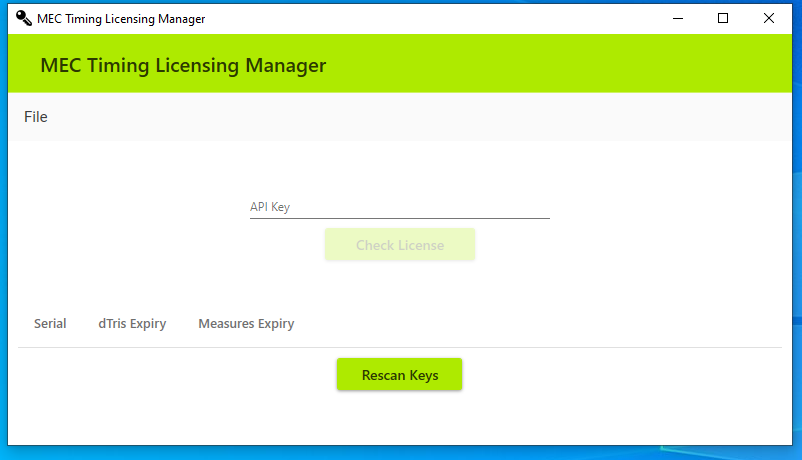
License Manager allows users to manage and see all dongle licenses, and apply new licenses purchased from our store.
The License Manager can be downloaded here: License Manager (Windows installer)
Hardware keys
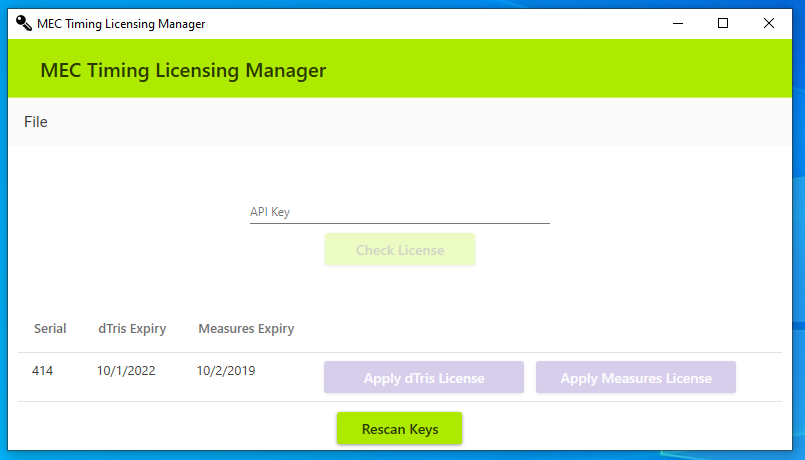
Either plug in your dongles before starting License Manager, or click “Rescan Key” once all dongles have been inserted. These will show with the expiry date of both MEASURES and dTris.
License Manager
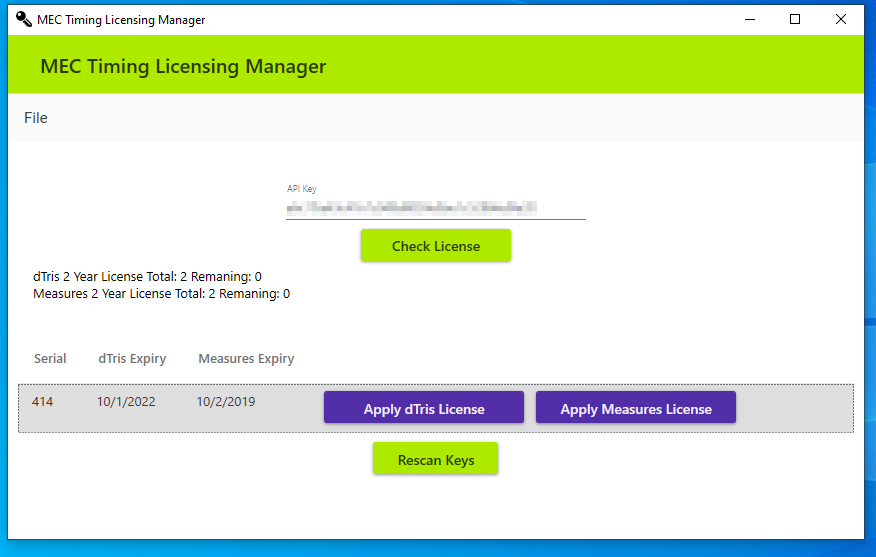
Once you insert your master API key from your purchase and click “check license”, you will be shown which licences are available and how many activations remain.
Apply licence
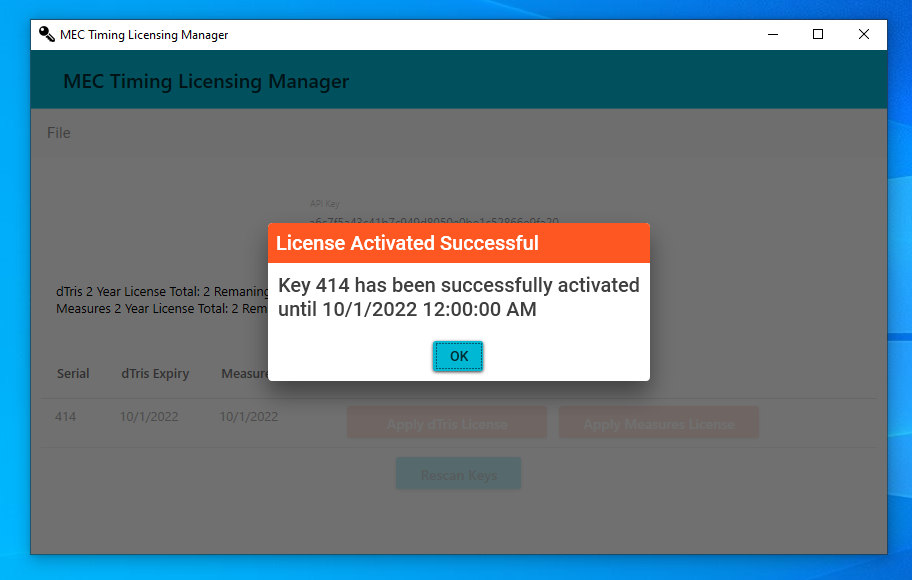
Clicking “Apply dTris License” or “Apply Measures License” will apply one of your available licences to that key. It will show the message box once the licence has been successfully applied.
CONTACT SUPPORT